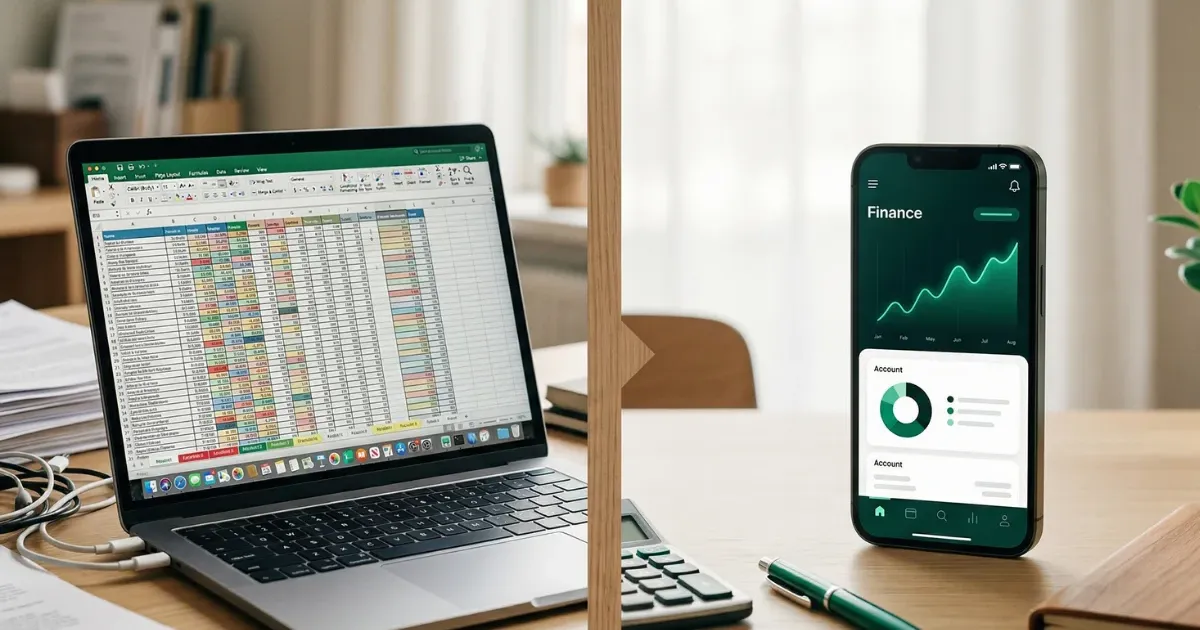
Spreadsheets are the most popular starting point for personal expense tracking, and for good reason — they are free, flexible, and familiar. But as your financial life grows more complex, spreadsheets start showing their limits: missed entries, increasingly unwieldy tabs, no mobile access, and hours spent formatting instead of analyzing. This article helps you recognize when you have outgrown your spreadsheet, what a dedicated finance app actually adds, and how to make the switch without losing your data or your mind.
If you are currently using Excel or Google Sheets to track your money and it is working well, there is no reason to change. This is not an article that argues spreadsheets are bad. It is for the people who suspect their spreadsheet is holding them back but are not sure whether the grass is actually greener.
What Spreadsheets Do Well
Before discussing limitations, let us give spreadsheets their due credit. They have earned their dominance in personal finance for real reasons.
Flexibility and customization
A spreadsheet bends to your exact needs. Want a column for tax-deductible expenses? Add it. Need a custom formula that calculates your savings rate after accounting for irregular freelance income? Write it. No app gives you this level of structural freedom.
For people with unusual financial situations — multiple income streams in different currencies, complex property income calculations, or niche tax categories — a spreadsheet can be the only tool that accommodates every variable.
Zero cost
Google Sheets is free. LibreOffice Calc is free. Even Excel comes pre-installed on many computers. There is no subscription, no trial period, no feature gate. For someone just starting to track expenses, the zero-cost entry point is significant.
Data ownership
Your spreadsheet file sits on your computer or in your cloud storage. You control it completely. There is no company that might change its terms, shut down its servers, or lose your data in a migration. For people who are cautious about handing financial data to third parties, this level of control matters.
Educational value
Building a budget spreadsheet from scratch teaches you how money works in a way that using a pre-built app does not. You learn about categories, formulas, cash flow patterns, and the relationship between income and expenses by constructing the framework yourself.
Sharing and collaboration
Google Sheets makes it easy to share a financial tracking sheet with a partner, an accountant, or a financial advisor. Real-time collaboration, commenting, and version history are built in. For couples managing shared finances, a shared spreadsheet is often the first system they use.
Signs You Have Outgrown Your Spreadsheet
Spreadsheets are excellent tools with a natural ceiling. Here are the warning signs that you have hit it.
You stop entering data
This is the most reliable signal. If you find yourself batching two weeks of expenses on a Sunday afternoon (or not entering them at all), the friction has become too high. Spreadsheet entry requires opening a specific file, navigating to the right sheet, finding the correct row, and typing multiple fields. On a phone, this experience ranges from awkward to impossible.
When data entry stops, the entire system breaks. A budget without current data is just a historical document.
Your file has too many tabs
What started as a clean three-tab system (income, expenses, summary) has grown into a twelve-tab maze with sheets for subscriptions, tax deductions, investment tracking, property income, vehicle expenses, and three abandoned layouts from experiments that did not work. Finding information takes longer than entering it.
You spend more time formatting than analyzing
If you are adjusting column widths, color-coding cells, fixing broken formulas, or rebuilding pivot tables every month instead of actually reviewing your financial data, the tool is consuming the time it was supposed to save.
You have no mobile access (that works)
Google Sheets has a mobile app, but editing a detailed spreadsheet on a phone screen is a frustrating exercise. The cells are tiny, the keyboard covers half the screen, and one wrong tap can overwrite a formula. If you cannot quickly log an expense while standing at a checkout counter, you will not log it at all.
Your formulas keep breaking
Complex spreadsheets are fragile. Insert a row in the wrong place and half your SUM formulas break. Change a category name and your VLOOKUP returns errors. The more sophisticated your spreadsheet becomes, the more time you spend maintaining it instead of using it.
You want insights, not just records
A spreadsheet can store data and calculate totals, but it does not proactively surface patterns. It will not tell you that your grocery spending increased 15% this month, or that you have been paying for a subscription you have not used in three months, or that your net savings rate is trending downward. You have to build every chart and comparison manually.
You need to share data selectively
If you share finances with a partner but want to keep personal spending private, a spreadsheet offers limited options. It is all-or-nothing: share the whole file or share nothing. There is no built-in way to show shared expenses while hiding individual discretionary spending.
What a Dedicated Finance App Adds
The advantages of switching to a purpose-built app fall into five categories.
1. Mobile-first data entry
The single biggest advantage. A well-designed app lets you log an expense in under 10 seconds: open the app, tap the amount, select a category, done. This is the difference between tracking 90% of your expenses and tracking 40%.
Quick entry from your phone means you log transactions at the moment they happen, not two weeks later from memory. The data quality improvement alone justifies the switch for most people.
2. Automatic categorization and structure
Apps come with pre-built category structures: housing, transport, food, subscriptions, personal, income by type. You do not need to design the system from scratch. Good apps also let you customize these categories when the defaults do not fit your needs.
3. Visual dashboards and summaries
Instead of building charts manually, apps present your financial data visually: monthly totals, category breakdowns, trend lines, income vs. expense comparisons. These dashboards update automatically as you enter data, giving you a real-time picture of your financial position.
This is where spreadsheet users often have the biggest “aha” moment after switching. Seeing your spending patterns in a well-designed dashboard reveals things that rows of numbers in a spreadsheet never did.
4. Built-in period comparisons
How does this January compare to last January? Is your grocery spending trending up or down over six months? Which expense category grew the most this year? Apps calculate these comparisons automatically. In a spreadsheet, each comparison is a custom formula or pivot table you need to build and maintain.
5. Privacy and security features
Finance apps designed with privacy in mind offer features spreadsheets cannot: biometric authentication, privacy modes that redact sensitive figures for screen sharing, and local data storage that keeps your financial information off shared cloud servers. If you have ever worried about someone seeing your financial spreadsheet, these features are not trivial.
Spreadsheet vs. App: A Direct Comparison
| Feature | Spreadsheet (Excel/Sheets) | Dedicated Finance App |
|---|---|---|
| Cost | Free | Free to paid |
| Setup time | Hours (build from scratch) | Minutes (pre-built structure) |
| Mobile entry | Poor (small cells, easy errors) | Excellent (designed for phone) |
| Customization | Unlimited | Moderate to high |
| Data visualization | Manual (build your own charts) | Automatic dashboards |
| Category management | Manual | Built-in with customization |
| Period comparisons | Manual formulas | Automatic |
| Export capability | Native (CSV, Excel) | Varies by app |
| Privacy features | None (or basic file password) | Biometric lock, privacy mode |
| Offline access | Desktop: yes / Mobile: limited | Depends on app |
| Multi-language support | Manual | Some apps support natively |
| Maintenance required | High (formulas, formatting) | Low (updates handled by app) |
| Learning curve | Low (if you know spreadsheets) | Low (if app is well-designed) |
| Data ownership | Full | Depends on app architecture |
Neither column is universally better. The right choice depends on where you are in your financial tracking journey and what friction points you are experiencing.
What to Look for in a Finance App
If you decide to make the switch, not all apps are equal. Here are the features that matter most, based on what spreadsheet users typically value.
Privacy and data control
This is non-negotiable for anyone switching from a self-hosted spreadsheet. Look for:
- Local data storage. Your financial data should live on your device, not on a company’s server, unless you explicitly choose cloud sync.
- No bank account linking required. Many apps push you to connect bank accounts for automatic imports. This is convenient but means your credentials are shared with a third party. The best apps work perfectly well with manual entry.
- Privacy mode. Can you quickly hide your financial figures if someone glances at your screen? This is a feature spreadsheets cannot offer.
Offline functionality
Your financial tracking should not depend on an internet connection. If the app stops working when your wifi drops, it is not reliable enough for daily use. True offline capability means you can log expenses, view dashboards, and review your history without connectivity.
Meaningful categories
The app’s category structure should match how you actually think about money. Look for separation between:
- Income types (salary, rental, interest, freelance)
- Expense domains (housing, transport, personal, subscriptions)
- Taxes (property tax, income tax)
This structure should feel natural, not forced. If you find yourself fighting the app’s categories to make them fit your life, the app is not a good match.
Export and data portability
Never lock your data into a system you cannot leave. The app must support exporting your data to CSV or a standard format. If you ever want to switch tools, go back to a spreadsheet, or share data with an accountant, export is essential.
Dashboard quality
The dashboard is where you will spend most of your time after data entry. It should answer the questions you care about without requiring you to dig:
- How much did I spend this month vs. last month?
- What are my biggest expense categories?
- What is my net position (income minus expenses)?
- How does this month compare to my year-to-date trend?
A weak dashboard turns the app into nothing more than a digital notebook — barely better than the spreadsheet you left.
Bilingual or localization support
If you operate in more than one language — for example, managing finances in Greece while reading financial content in English — native language support avoids the awkwardness of category names that do not translate well.
How to Migrate Without Losing Data
The fear of losing historical data is the biggest barrier to switching. Here is how to handle it cleanly.
Step 1: Export your spreadsheet data
Save your spreadsheet as a CSV file. This is the universal format that nearly any app can import. If your spreadsheet has multiple tabs, export each one separately.
Step 2: Map your categories
Before importing, compare your spreadsheet categories to the app’s categories. You will likely need to merge some categories and split others. Write down the mapping: “my spreadsheet’s ‘House’ category maps to the app’s ‘Housing’ section.”
Step 3: Decide what to migrate
You do not need to import ten years of history. Consider migrating:
- Current year data: Essential for continuity
- Last year data: Useful for comparisons
- Older data: Archive in a spreadsheet and start fresh in the app
Step 4: Run both systems in parallel
For one month, enter data in both your spreadsheet and the new app. At the end of the month, compare the totals. If they match, you can confidently retire the spreadsheet. If they differ, investigate the discrepancy before committing to the switch.
Step 5: Archive, do not delete
Keep your old spreadsheet files. Store them in a dedicated folder. You may never need them again, but having the archive eliminates the anxiety of “what if I need that old data.”
The Hybrid Approach: Using Both
Some people find the ideal solution is not a complete switch but a combination. Use an app for daily expense tracking and a spreadsheet for annual analysis, tax preparation, or complex calculations that no app handles well.
This works particularly well if:
- You want mobile convenience for daily tracking but spreadsheet flexibility for year-end analysis
- Your tax situation requires custom calculations
- You enjoy building financial models in spreadsheets but hate using them for daily data entry
The key to a successful hybrid is clear data flow: the app feeds the spreadsheet, not the other way around. Export monthly summaries from your app, import them into your analysis spreadsheet, and do your deep work there. This gives you the best of both worlds without duplicate entry.
For more on how to decide between manual and automated tracking approaches, see our detailed guide on manual vs. automated expense tracking.
When Staying With a Spreadsheet Makes Sense
Switching is not always the right move. Stay with your spreadsheet if:
- It is still working. If you are consistently entering data, reviewing your finances, and making informed decisions, the tool is doing its job. Do not fix what is not broken.
- Your financial situation is unusually complex. Multiple businesses, international income, cryptocurrency tracking, complex tax situations — some scenarios genuinely require the flexibility that only a spreadsheet (or dedicated accounting software) provides.
- You enjoy the process. Some people find genuine satisfaction in maintaining an elaborate financial spreadsheet. If it brings you joy and you are consistent, that is a feature, not a bug.
- You are a spreadsheet power user. If you can build pivot tables in your sleep and have macros that automate your monthly review, a basic app may feel like a downgrade.
The only bad system is no system. If your spreadsheet keeps you financially aware and intentional, it is the right tool for you.
When Making the Switch Makes Sense
Consider switching if:
- You have stopped updating your spreadsheet. A sophisticated system you do not use is worse than a simple system you use daily.
- You want to track on the go. Mobile-first entry is transformative for consistency.
- You want dashboards without building them. If you want to see your financial picture clearly but do not want to spend hours building charts.
- You value privacy features. Biometric locks and privacy modes are not available in spreadsheets.
- You share finances with a partner. Apps designed for category-based tracking, like Tefteri, make it straightforward to see shared expenses at a glance without the fragility of a shared spreadsheet with custom formulas.
For a broader look at how to build a sustainable expense tracking habit regardless of the tool you choose, that guide covers the principles that work across all methods.
Tefteri is a personal finance app for iPhone that helps you track expenses, income, and subscriptions — organized by category, stored locally on your device, and designed to make financial clarity effortless.
Frequently Asked Questions
Can I import my spreadsheet data into a finance app?
Most finance apps support CSV import, which is the standard export format for Excel and Google Sheets. However, the import process varies by app. Some handle it seamlessly, others require you to map columns manually. Before committing to an app, test the import process with a small sample of your data. If the import is clunky or loses information, it is a warning sign about the app’s overall quality.
Will I lose the flexibility of spreadsheets?
Partially, yes. No app offers the unlimited structural flexibility of a spreadsheet. However, most people use only a fraction of that flexibility. If your spreadsheet tracks income, expenses, and savings across standard categories, a well-designed app replicates that functionality with less maintenance. If you rely on custom formulas, macros, or unusual data structures, you may want the hybrid approach: an app for daily tracking and a spreadsheet for complex analysis.
Are finance apps safe for sensitive financial data?
It depends entirely on the app’s architecture. Apps that store data locally on your device (rather than on remote servers) offer security comparable to a spreadsheet stored on your computer. Apps that require bank account linking introduce additional risk. Look for apps with local-first architecture, biometric authentication, and no mandatory cloud sync. Read the privacy policy before entering any financial data.
Is it worth paying for a finance app when spreadsheets are free?
The relevant comparison is not the subscription cost vs. zero — it is the subscription cost vs. the value of your time and the quality of your tracking. If a paid app saves you two hours per month in data entry and formatting, and helps you identify 50 euros in unnecessary spending you would not have caught otherwise, the math is straightforward. That said, many excellent apps offer free tiers that cover basic tracking needs.
What if the app company shuts down and I lose my data?
This is a legitimate concern and the reason data export is a must-have feature. Any app you use should let you export your complete data in CSV or another standard format at any time. Make it a habit to export quarterly, storing the files alongside your archived spreadsheets. If you choose an app with local-first data storage, your data persists on your device regardless of what happens to the company.